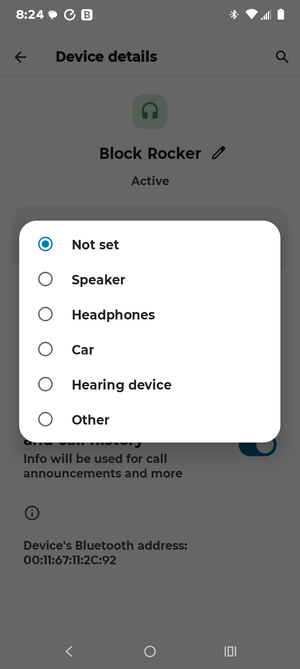
I just went from a Moto G 2023 to a 2025 model with android 16. I play music at the river on my Block Rocker using Spotify. I cant not figure out how to stop calls and messages from coming through my speaker. I have spent hours now trying to figure it out even going through support. Phone thinks its a headphone and there is no option to turn phone calls off like other bluetooth speakers. I might of went through this with last phone? At this point i am going to just have to use old phone for music which means carrying two phones.
Last edited:


![image2593[1].png](https://www.smokingmeatforums.com/data/attachments/728/728254-a3777d7958e3635f2bb3bbe64573b58c.jpg?hash=o3d9eVjjY1 "image2593[1].png")

![image2619[1].png](https://www.smokingmeatforums.com/data/attachments/728/728264-711a5bfd937d0771e655d15c41de12ca.jpg?hash=cRpb_ZN9B3 "image2619[1].png")
![image2593[1].png](https://www.smokingmeatforums.com/data/attachments/728/728265-a3777d7958e3635f2bb3bbe64573b58c.jpg?hash=o3d9eVjjY1 "image2593[1].png")